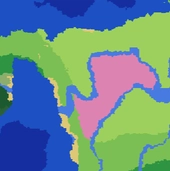
How to Use the Minecraft Seed Map
Enter your world seed in the search bar above, select your edition (Java or Bedrock) and game version, then click “Load Map”. The map will render your world’s biomes and overlay structure locations across the Overworld. You can toggle individual layers on and off, click any structure icon for its exact coordinates, and jump to specific locations using the coordinate fields.
Every result shown on the Minecraft seed map is a predicted location for your seed on the edition and version you selected. Predictions are highly accurate for chunks first generated on that version. If parts of your world were originally explored on an older version, those areas may not match — this is normal and happens because Minecraft changes terrain rules with major updates.
What Can You Find on the Seed Map?
- 40+ structure types plotted
- All Overworld biomes colour-coded
- Java + Bedrock from 1.18 onwards
- Free — no signup needed
Biomes
Every Overworld biome rendered as colour-coded regions: plains, forests, deserts, jungles, taigas, snowy biomes, mushroom fields, badlands, and the full ocean range. Hover any area to see the biome name and your current coordinates. Biome rendering tracks your seed + version closely, so you get an accurate picture of where each terrain type sits before you load the game.
Structures
Villages
Plains, deserts, savannas, taigas, snowy plains. Trades, beds, and the easiest first base.
Strongholds
All three rings plotted. The fastest path to the End portal — essential for speedrunners.
Ocean Monuments
Deep ocean only. Guardians + elder guardians; key for guardian farms.
Woodland Mansions
Dark forest, often thousands of blocks from spawn. Totems of undying + rare loot rooms.
Desert Pyramids
Hidden chest room with diamonds, emeralds, enchanted books. Mind the pressure plate.
Jungle Temples
Quick early-game loot — diamonds, emeralds, dispensers and a redstone puzzle to solve.
Ancient Cities
Deep dark, below Y 0. Echo shards, swift-sneak books — and the warden if you trip a shrieker.
Trail Ruins
Buried in taigas, snowy taigas, old growth forest, jungle. Pottery sherds + archaeology loot.
Trial Chambers
1.21+ underground combat arenas. Spawners, reward vaults, ominous trial keys.
Pillager Outposts
Ominous banners + crossbow trades. Worth raiding before settling within a few hundred blocks.
Ruined Portals
Chest loot — often gold, flint & steel, obsidian. Head-start on your first nether portal.
Witch Huts
Swamps only. The anchor for a witch farm — redstone potions later in the game.
Shipwrecks
Treasure maps that point to buried-treasure chests — the only source of heart of the sea.
Buried Treasure
Beach + ocean chests. The heart of the sea drop you need for conduits.
Ocean Ruins
Smaller underwater builds. Their own treasure maps and enchanted books.
Dungeons
Cobblestone rooms with a mob spawner. The cheapest way to kick off an XP farm.
Mineshafts
Sprawling tunnels rich in iron, gold, and the rare cave spider spawner.
Igloos
Snowy plains/taigas. The basement variant has a brewing stand + zombie villager to cure.
Amethyst Geodes
Calcite + amethyst pockets underground. Source of spyglasses, tinted glass and budding amethyst.
Minecraft Seed Map for Java and Bedrock
SeedLander is one of the few browser-based seed map tools that supports both Java Edition and Bedrock Edition. While the two editions share many structures, there are differences in world generation between them. Always make sure you select the correct edition before loading your map — a Java seed and a Bedrock seed with the same number will generate different worlds.
Bedrock Edition covers Minecraft on Windows 10/11 (from the Microsoft Store), Xbox, PlayStation, Nintendo Switch, iOS, and Android. Java Edition is the original PC version available through the Minecraft Launcher.
Tips for Getting the Most From the Seed Map
Find your seed in-game
Java: type /seed in chat. Bedrock: Settings → Game → Seed field. On a multiplayer server, ask the admin — some keep it private.
Don’t toggle everything
Filter to what you actually need. Hunting a stronghold? Toggle only strongholds. Less map clutter, faster reads.
Jump to coordinates
The Jump-to fields above the map skip you straight to known coords — great for checking what’s next to your existing base.
Use the structures list
The “Structures Found” panel under the map lists every match sorted by distance from your view centre. Click any row to fly to it.
Combine with other tools: Pair the seed map with the Ore Finder to scout diamonds near a structure you’ve found, the Nether Portal Calculator to plan portal links between bases, or the Slime Chunk Finder for farms once you’ve picked a base location.
Understanding Predicted Locations
All locations shown on SeedLander’s Minecraft seed map are predicted from the seed and version you selected. In most cases, these predictions match your in-game world exactly.
However, predictions may not match if a chunk was originally generated on a different Minecraft version, if you are using custom world settings or data packs that modify generation, or if the area was generated in a superflat or buffet world type. SeedLander labels all results as predicted to be transparent about this.
For more detail on how Minecraft generates worlds from seeds, see the Minecraft Wiki article on seeds.